Using TicqexSettings
Board settings
Status columns, tags, comment order, and copy-context export.
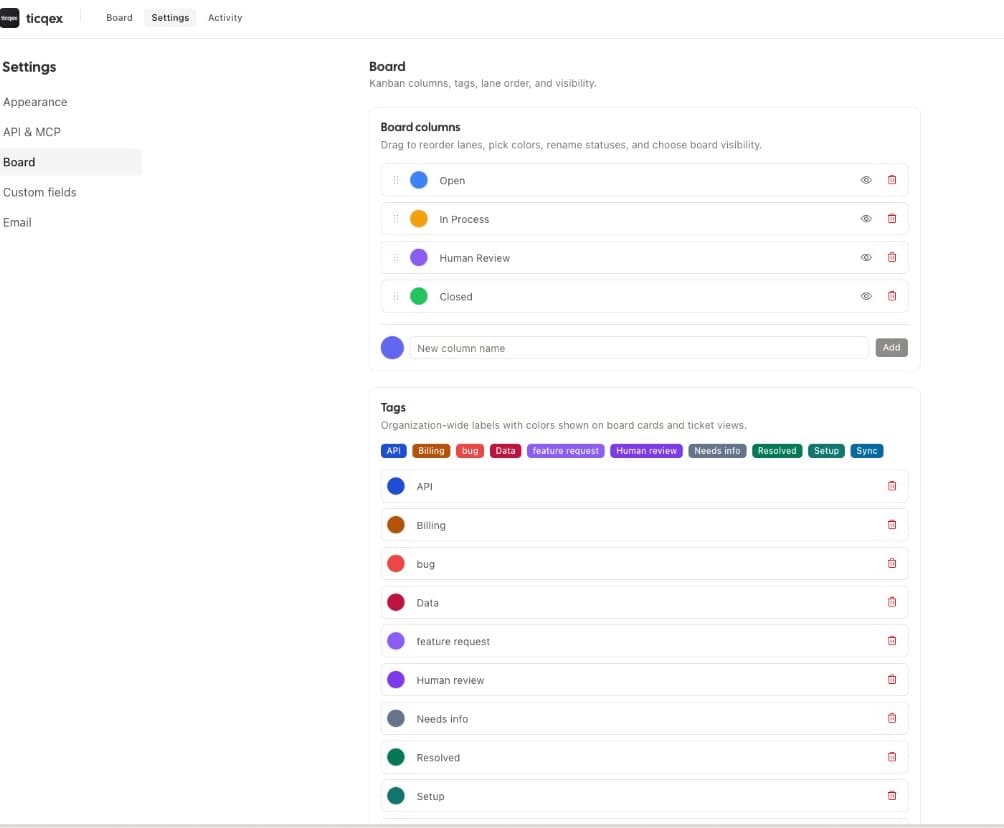
Status columns
Status columns define the lanes on the board:
- Add new columns and delete existing ones — deleting a column with tickets asks where to reassign them.
- Rename columns and pick a color.
- Drag to reorder lanes.
- Show/hide columns on the board — at least one column must stay visible. Hidden columns still exist (tickets keep their status) but don't render as lanes.
Tags
Org-wide labels with a name and color. Tags can be applied to any ticket and used as board filters.
Comment thread order
Choose whether internal ticket comments display oldest-first or newest-first.
Copy context
Configure the markdown export used to hand tickets to AI agents:
- Show or hide the Copy context button in the ticket modal.
- Choose whether to append the contact, contact custom fields, and ticket custom fields.
- Set an optional prepend text included at the top of every export.