Using TicqexSettings
Custom fields
Define your own ticket and contact fields, and control where they appear.
Custom fields let you model whatever your workflow needs — priorities, order numbers, plans, due dates — without forking the app. They are first-class: editable in the UI, filterable on the board, and fully available over API and MCP.
Field types
| Type | Use for |
|---|---|
text | Free-form strings |
number | Numeric values |
date | Dates |
boolean | Yes/no flags |
select | One value from a fixed option list |
multiselect | Multiple values from a fixed option list |
url | Links |
json | Arbitrary structured data (e.g. for agents) |
Ticket fields
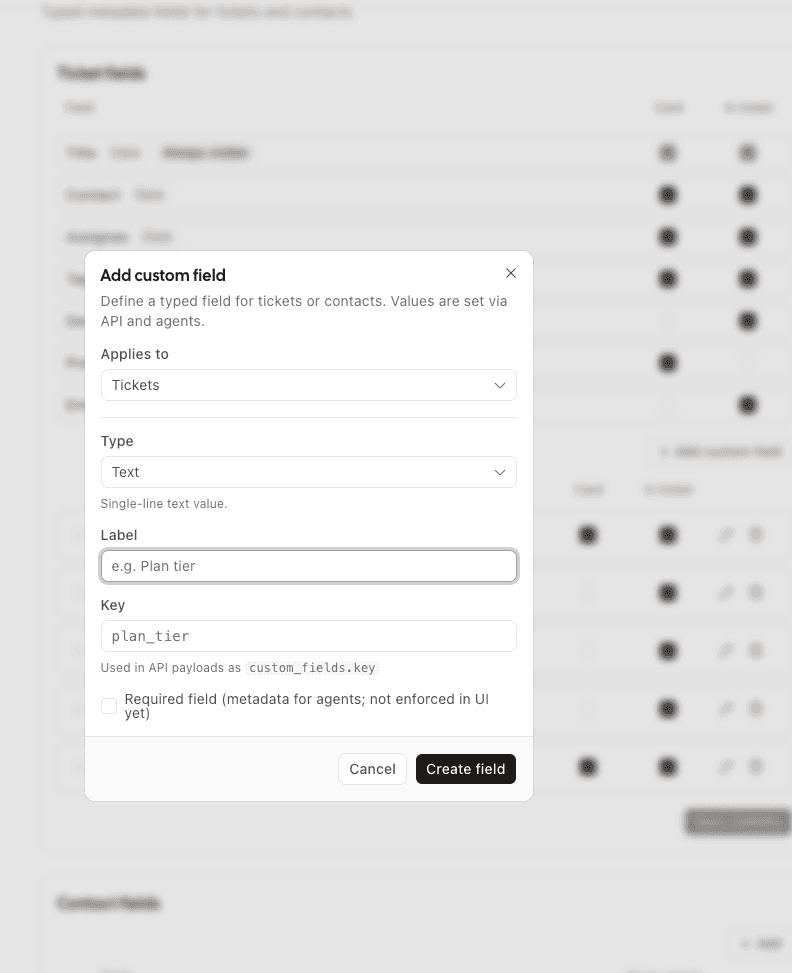
- Create, edit, delete, and reorder custom ticket field definitions.
- Control per-field visibility: show on the board card and/or in the ticket modal. This catalog covers custom fields and the core fields (title, contact, assignee, tags, description, preview, contact address), so you can slim down cards to exactly what matters.
- Custom ticket fields can be used as board filters.
Contact fields
- Same create/edit/delete/reorder workflow, scoped to contacts.
- Show open in ticket displays a field in the ticket's contact panel without the user expanding "Show all fields".
Tips
- Want priorities? Add a
selectfield with your levels — it shows on cards and filters like anything else. - Channels can also require or lock certain fields — see field policies in the extending guide.